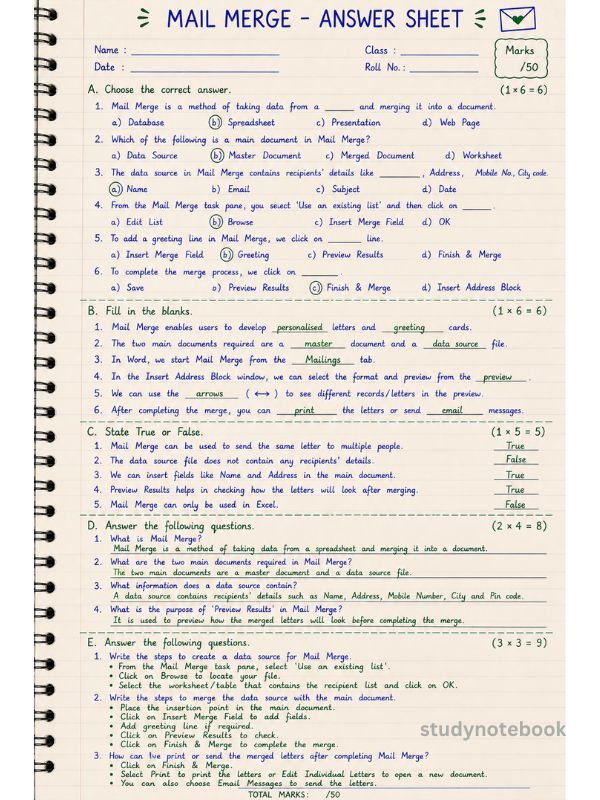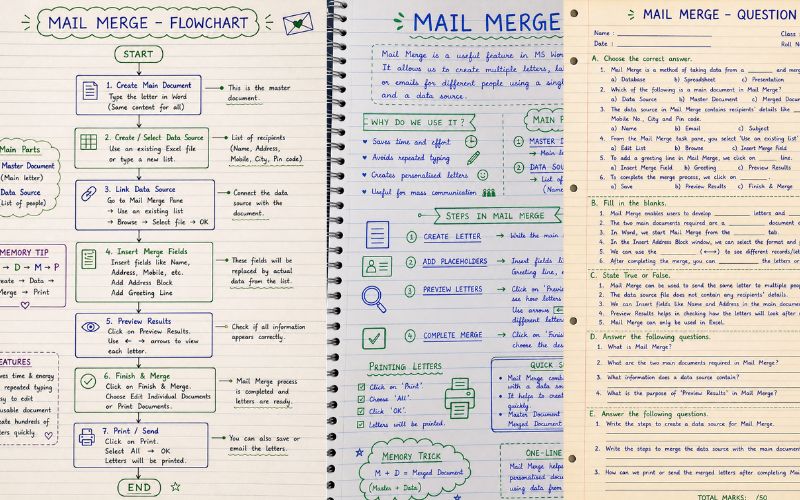
🌟 What is Mail Merge?
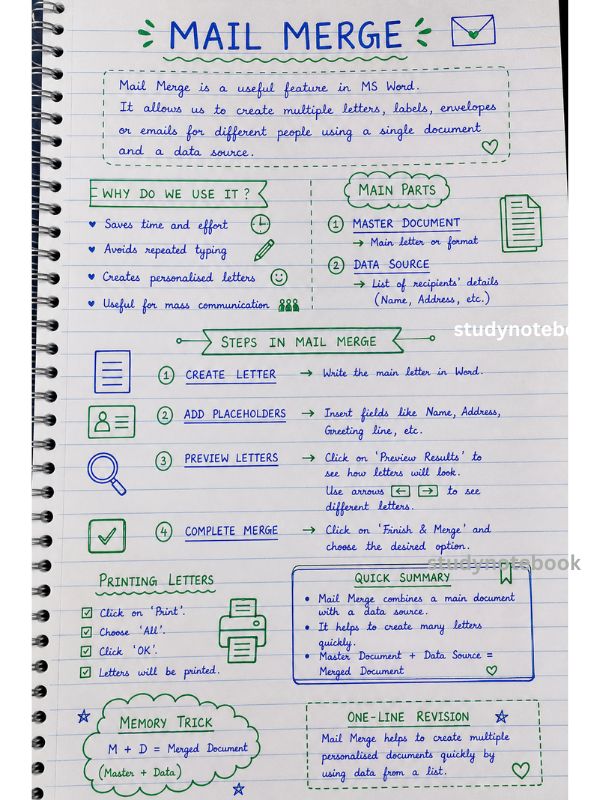
👉 Mail Merge = Data + Document = Many Letters
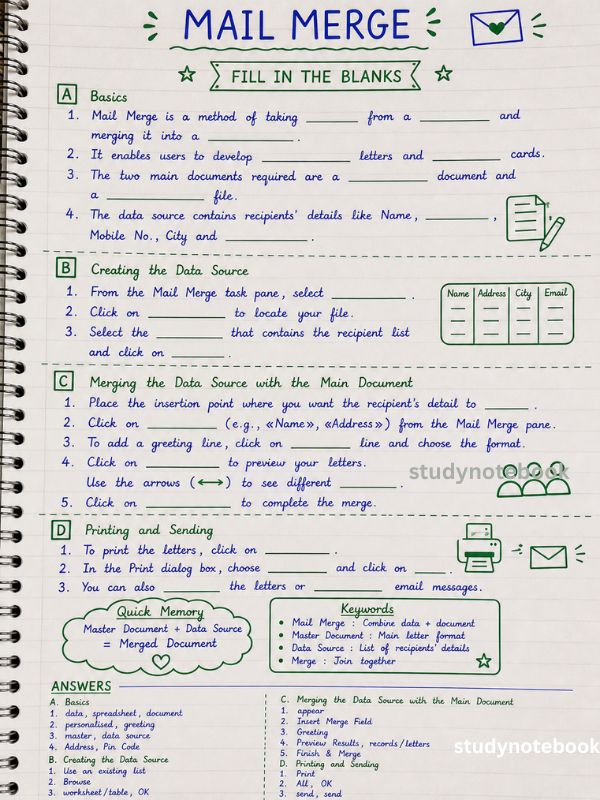
👉 It is a method of taking data from a spreadsheet
and merging it into a document.
✨ Used to create:
- Personalised letters
- Greeting cards
- Invitations
🧠 MEMORY TRICK
👉 “ONE LETTER → MANY PEOPLE”
Instead of typing again & again ❌
Mail Merge does it automatically ✅
📄 Two Main Parts
1️⃣ Master Document
👉 Main letter (same for everyone)
2️⃣ Data Source
👉 List of people (like Excel)
Contains:
- Name
- Address
- Mobile Number
- City
- Pin Code
⚡ Steps of Mail Merge (FLOW)
👉 C → D → M → P
- Create Main Document
- Create Data Source
- Merge Data
- Print / Send
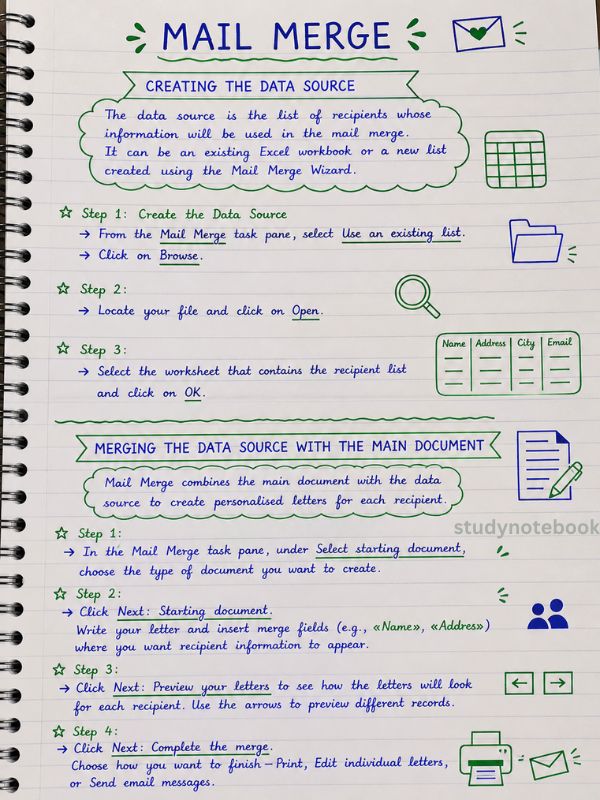
🟢 Creating Data Source
- Go to the Mail Merge pane
- Click Use an existing list
- Click Browse
- Select file → Click Open
- Choose worksheet → Click OK
💡 Shortcut:
👉 You can also choose “Type a new list.”
🔵 Merging Data with Document
- Place the cursor where the details should come
- Click Insert Merge Field
(Name, Address, etc.) - Add:
👉 Address Block
👉 Greeting Line - Click Preview Results 👀
👉 Check letters using arrows ⬅➡ - Click Finish & Merge ✅
🖨️ Printing Letters
- Click Print
- Choose All
- Click OK
🎯 Features (WHY USE IT?)
✔ Saves time ⏳
✔ No repeated typing ✍️
✔ Same document reusable ♻️
✔ Create 100+ letters quickly 🚀
🧩 KEYWORDS (VERY IMPORTANT)
- Mail Merge → Combine data + document
- Master Document → Main letter
- Data Source → List of people
- Recipient → Person receiving letter
- Merge → Join together
💡
👉 Mail Merge = Master Document + Data Source → Merged Letters